Most of the time a home inspection report takes isn’t spent inspecting. It’s spent after you leave, putting the pieces together. The fastest way to write the report is to stop doing that work twice: add the comment as you take each photo, and the report is done when the inspection ends.
When I did inspections, the software I used made it hard to write the report during the inspection. So I took photos throughout the inspection. Back at my office, I went through every photo, entered the comments into the report one by one, and decided which photos to include. Then I reviewed the whole report to make sure I hadn’t forgotten anything. It took me several hours, on top of the inspection itself.
The time-consuming part of writing home inspection reports
Three things that consumed evenings:
- Typing up notes. Shorthand, voice memos and notepad lines become sentences at the desk.
- Matching photos to comments. An inspection easily produces 30 to 50 photos, and some produce more than 100. Each one gets sorted, and the ones that make the report are placed beside the right observation.
- Copying equipment details. Brand, model and serial are read off data plate photos and typed in.
Each one is work you already did on site, done a second time.
The photo and its comment, in one step
When I chose photos for a report, I used a close-up that showed the issue I was describing. The photo’s job is to help the home buyer understand the comment. A photo by itself is hard to understand, so it has to be connected to a comment.
But I made that connection hours later, back at my office, going through every photo and matching it to its comment. With more than one report to finish, that work could fill the whole evening.
Taking the photo, adding its comment and inserting both into the report in one step would cut out that evening routine of adding comments, then photos, then reviewing everything one final time. So I set out to bring report writing back into the inspection itself, combining two essential steps of the field work into one: capturing the photo and inserting its comment. That makes an evening free of report writing a real possibility.
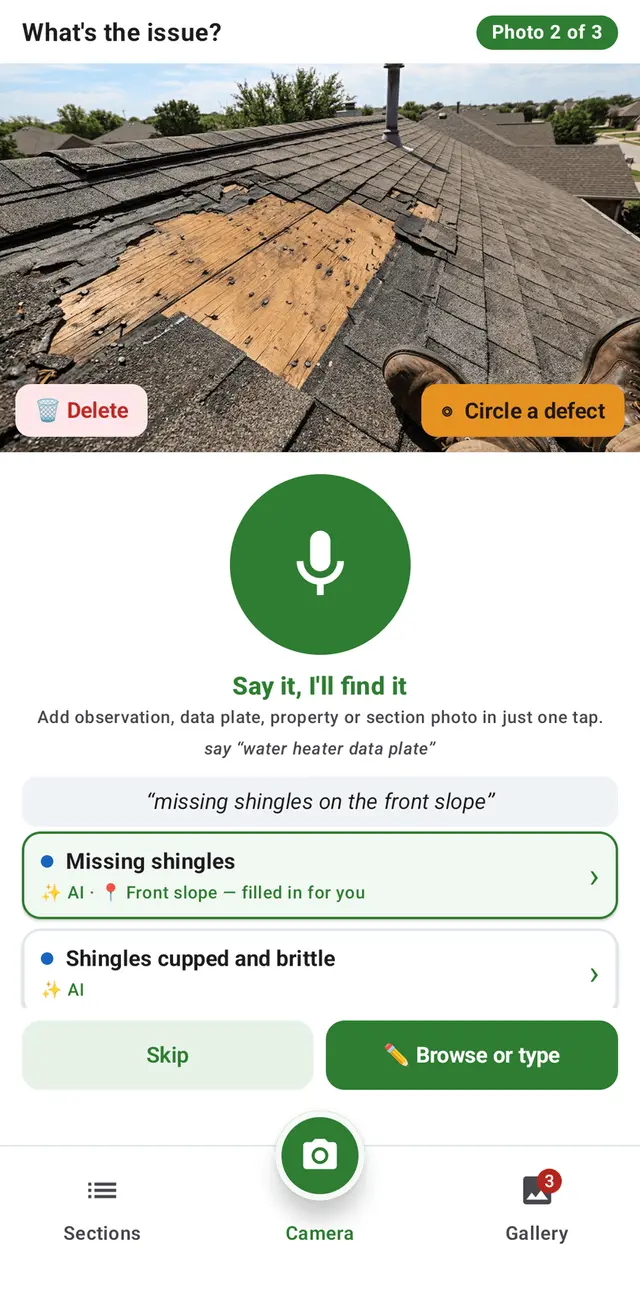
In JetInspect, tap Capture and Insert and take the photo. Then tap the mic and describe the issue. Voice input finds the matching comment in your library and inserts it, with the photo, into the right section. The search runs on the phone, so it works in a crawlspace with no signal.
JetInspect reads the data plate for you
I photographed the data plates and typed the model and serial numbers in by hand. Many plates showed a manufacturing date, but for the rest I had to work it out from the serial number. Manufacturers often build the date into the serial, and each one does it differently, so dating some units was time-consuming.
Everything I typed by hand was already in the photo I had taken. Recognition technology has improved a lot since then, and with what I knew about data plates, I could build JetInspect to read them for you. That brought one more time-consuming step forward into the inspection.
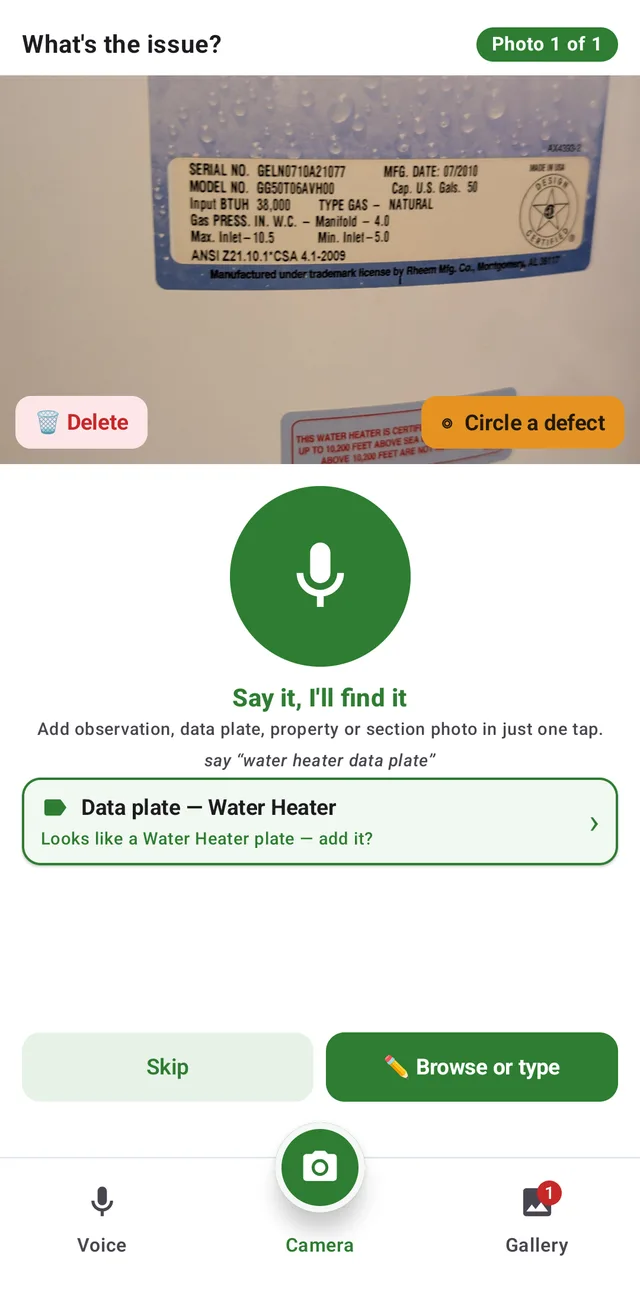
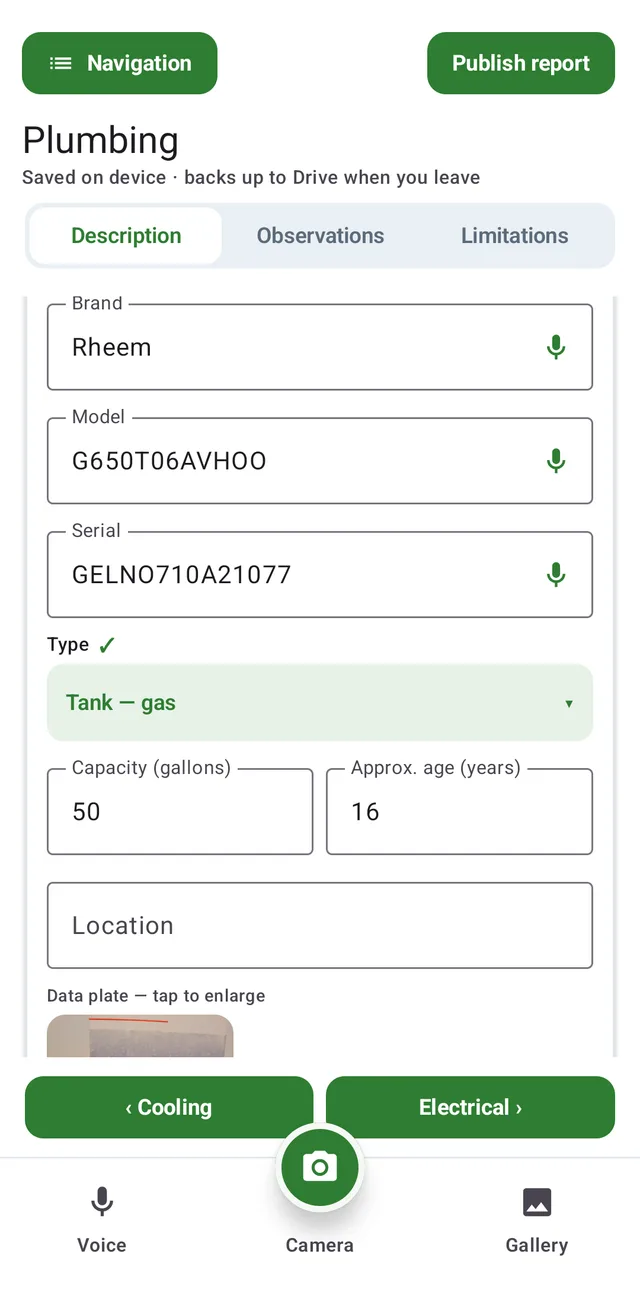
JetInspect’s data plate reader picks up the brand, model and serial from the photo, and falls back to the barcode when the print is too worn. For many brands, it also reads the manufacturing date built into the serial number. You can check the unit against product recalls too.
Keep your comments, word for word
I started with a standard comment library and added my own comments over time, based on what I found and how I wanted to explain it. Most inspectors do the same: an inspector’s personal comment library is how they talk to their clients. That made switching software hard. I wanted to keep the voice I had built over the years, and the realtors I worked with expected it, because they were used to the reports I delivered to their clients.
When I did switch, I sometimes had to give up comments I had developed over the years, and often I simply accepted the loss and kept going. But fast report writing also depends on how well you know your library, and that knowledge goes to waste when the comments are left behind. I wanted inspectors to be able to switch without that sacrifice. With JetInspect, your comments come with you, and there’s no need to start over.
JetInspect imports your library word for word from Spectora, HomeGauge or a spreadsheet, or we import it for you.
New to inspecting, or starting fresh? JetInspect comes with a library of more than 1,500 comments, written from years of inspection experience. It isn’t a fixed list: we keep improving it, and the updates reach you automatically. It’s a complete system from your first inspection.
Start similar homes from a template
As a home inspector, I often inspected the same or similar types of homes, and wrote the same standard descriptions in report after report. A template to start from was one more easy way to cut the time a report takes.
In JetInspect, you can save any report as a template, so you can keep one for each type of home you inspect, such as different single-family homes, condos or townhouses. The next time you start an inspection like one you’ve done before, pick its template, and many of the standard descriptions are already there. Photos and observations stay with the original report. What’s left is the final review, to make sure everything is correct for this home.
Finish the report before you leave the property
Finishing the report before I left the property was always my goal, but the software I had made it very difficult. My time after inspections went to writing reports, and that often came out of time with my family. With more than one inspection a day, the problem only got bigger. Keeping my promises came first, so on-site reporting turned into same-day reporting just to keep up. Real estate transactions demand a fast turnaround, and inspectors are often called at the last minute, when clients realize they have only a day or two left in their inspection period. Delivering the report the same day, or before you leave the property, is part of staying in business as a home inspector.
With each photo and comment added during the inspection, what’s left when it ends is a read-through of your report.
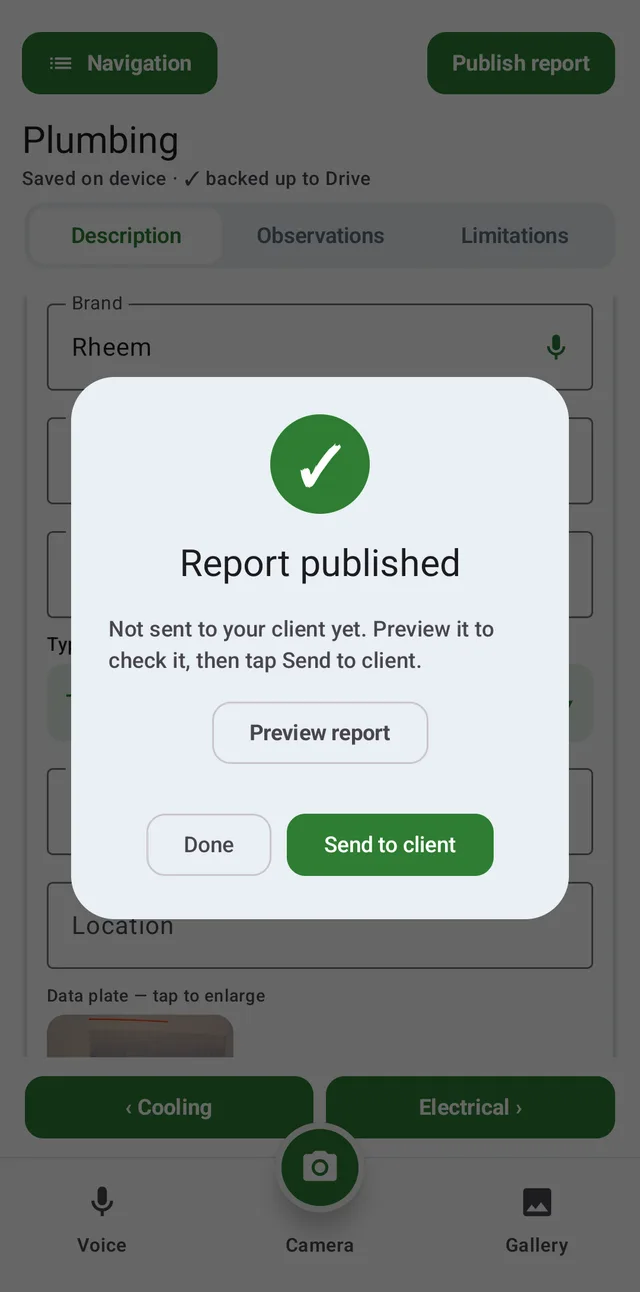
From there, publish the report from your phone and preview it the way your client will see it. Nothing is sent until you tap Send to client. To see the kind of report you can deliver with JetInspect, take a look at this sample report.