
Setting your availability
The start times clients can schedule, travel time between inspections, time off and online scheduling.
Note
Your availability is the start times clients can pick when they schedule an inspection online, the travel time you need between inspections, and the days you're away. This is done on the web, in Services & Payments > Availability. Everything on the page saves as you go.
Open your availability
- 1Click Services & Payments on the left, then the Availability tab.
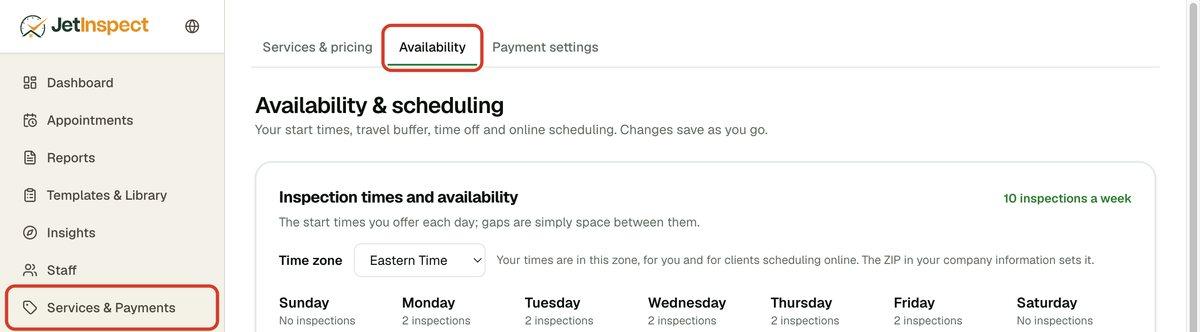
- 2Check the Time zone. It comes from the ZIP in your business details, and you can pick a different one from the list.
Set your start times
Each start time you add is a time a client can choose on that day.
- 1Under a day, click Add a time. Click a time to change it, or the × beside it to take it off.
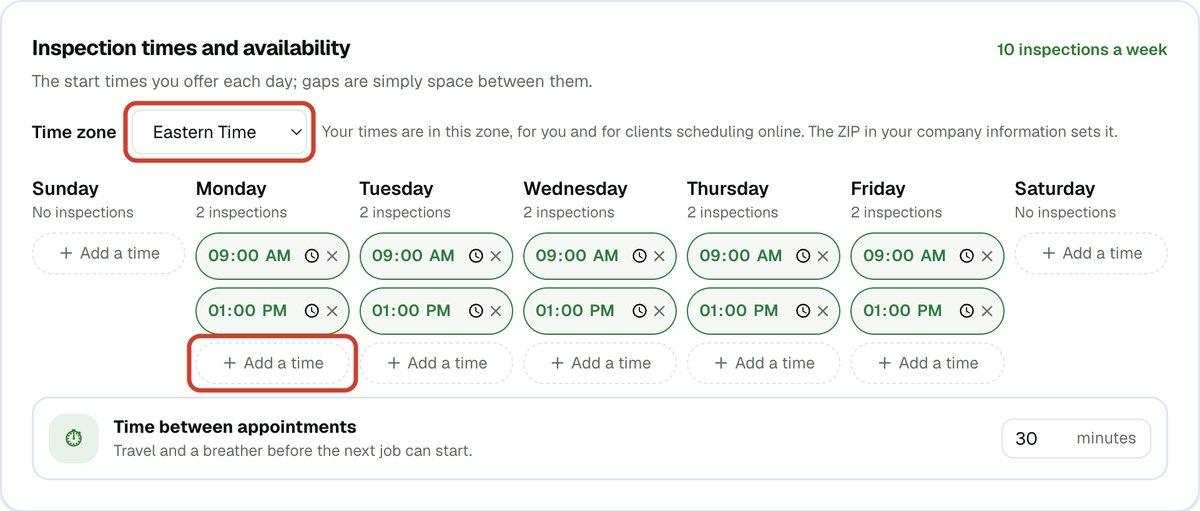
- 2Under Time between appointments, enter the minutes you need to travel between inspections. JetInspect won't offer a time that leaves you less.
Add time off
- 1Under Vacation and time off, click Add time off and set the first and last day. For one day, use the same date twice.

No inspection can be scheduled online on those days. To take the time off away, click Remove. Past dates clear themselves.
Let clients schedule online
- 1Under Enable scheduling directly from your website, switch on Online scheduling. Your JetInspect website now lets clients schedule with you.
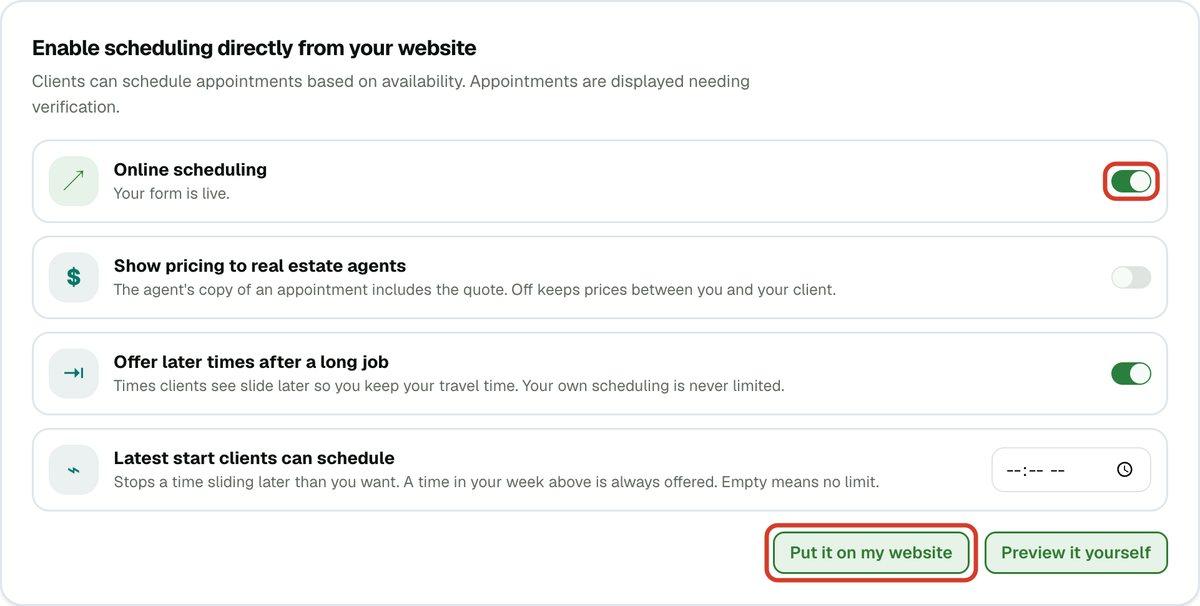
- 2Click Preview it yourself to try it as a client would.
- 3If you have another website, click Put it on my website, then Copy the code and paste it into your site. The same box has a link to the scheduling page you can send to anyone.
Tip
Show pricing to real estate agents puts the quote on the agent's copy of the appointment. Leave it off to keep prices between you and your client.
Tip
Offer later times after a long job moves the times clients see later when an earlier inspection will run long, so your travel time is kept. Latest start clients can schedule sets how late that can go. Neither limits what you schedule yourself.
If you work for an inspection company
The office may set your weekly start times for you. You still add your own time off, and the office is told if it falls on a day you have inspections. Use Showing to look at a colleague's week.