
Saving and editing your own comments
Save your own wording as you write a report, then edit, delete and search your library.
Save a comment as you write a report
When search doesn't find what you want to say, type or say it in your own words and save it. It goes into your library for next time and into the report you're working on.
- 1Open a section of your report and click Add observation.
- 2In the search box, type what you want to say.
- 3Click ➕ Save as my own observation at the bottom of the matches. It is ticked for you.
- 4Click Add 1 observation (or tick more first).
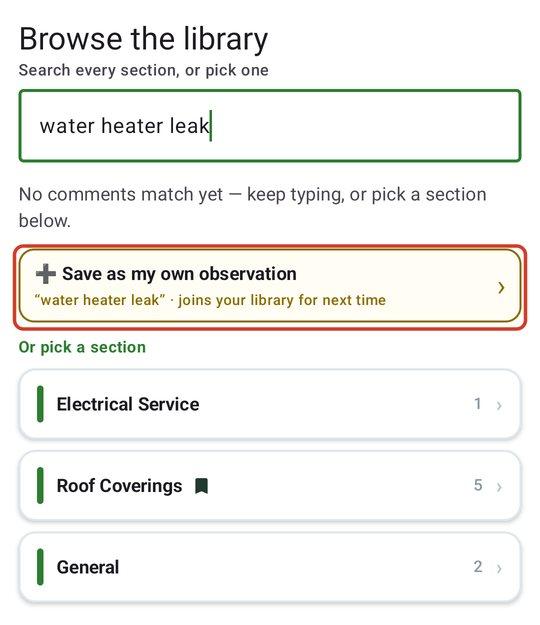
The same card appears when you add observations with Rapid Photo/Video Review or Rapid Voice/Text Entry. When nothing matched, it moves up to the top.
JetInspect turns your words into a comment for you. The title is your opening words, and the narrative is your whole sentence. It starts rated Maintenance, so change the rating on the report's observation if it should be something else.
Summaries work the same way. On a report's Summary, use Write my own on the web, then Save and use it. It is kept in your library for every future report.
Edit an observation in a report
Changing an observation inside a report changes that report only. Your library keeps its version, so the next report starts from the original. On the phone, tap the observation, change it and tap Save.
Edit a comment in your library
This is done on the web.
- 1Open Templates & Library and click the Comment Library tab. Your comments are filed by report section. Open a section, or type in Search every section.
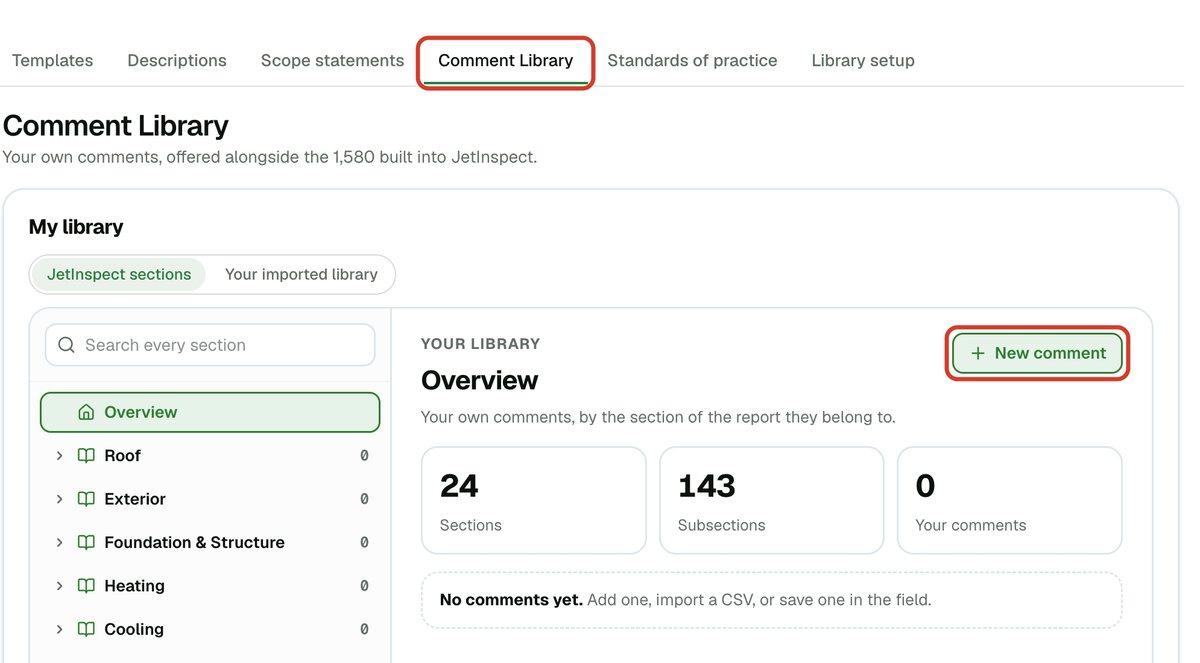
- 2Click Edit on the comment. The editor opens right there in the list.
- 3Change the Title, the Narrative, the Kind (Observation, Description or Limitation) or the rating. The Section and Item say where it belongs. The title is what you see in search results. The narrative is what the report says.
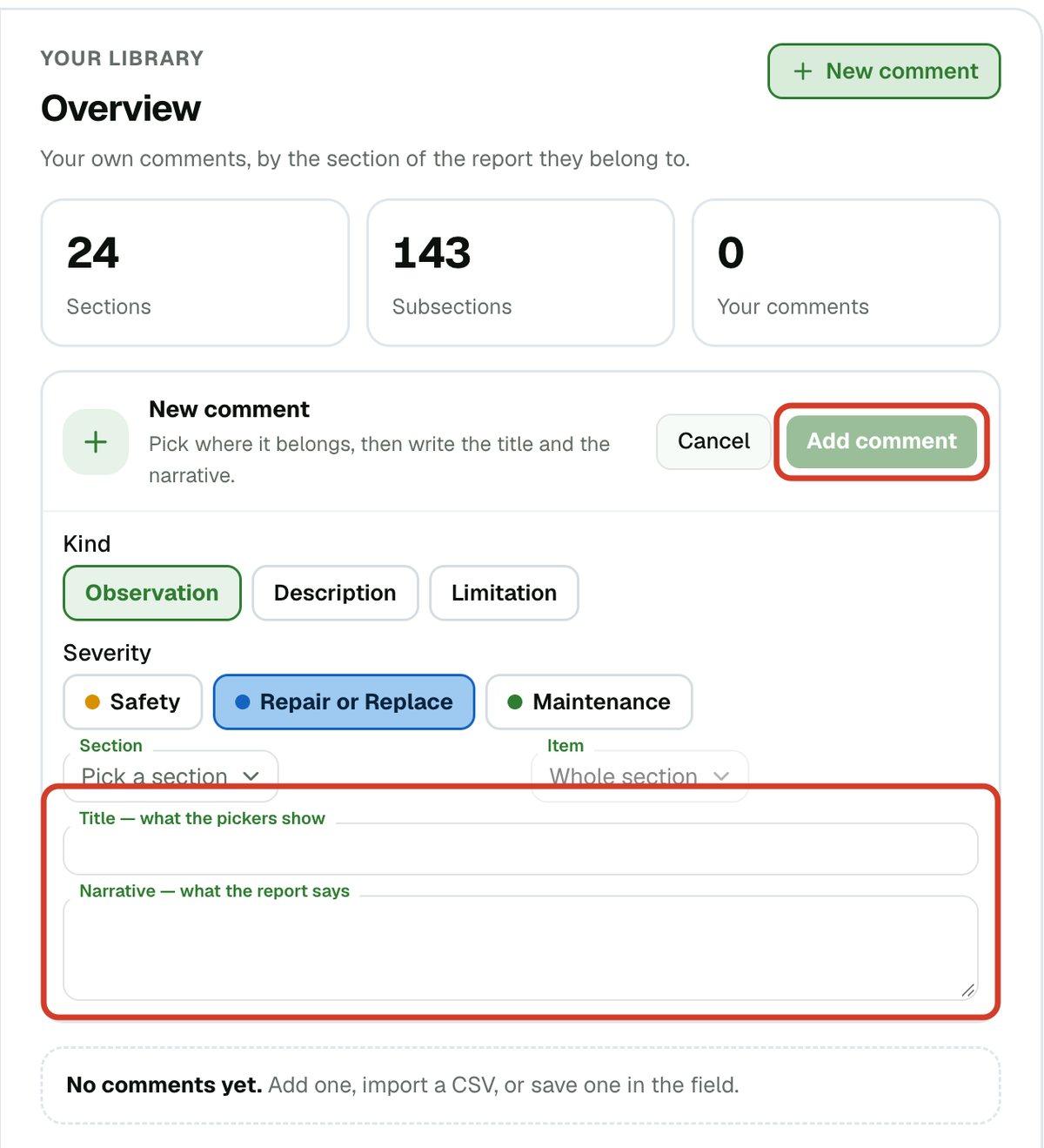
- 4Click Save changes.
A title can be 80 characters. A counter appears as you near the limit. A title that was already longer keeps showing whole, but you can only shorten it.
To write one from scratch, click New comment in the same place and fill in the same boxes, then click Add comment.
A comment you save in the field often has no section detail beyond the section you were in. Open it here to set the Item and the rating.
Rename a section heading in your reports
Each section prints in your reports under a heading. You can change that wording to your own. This is done on the web.
- 1Open Templates & Library > Comment Library.
- 2Click the pencil beside the section's count.
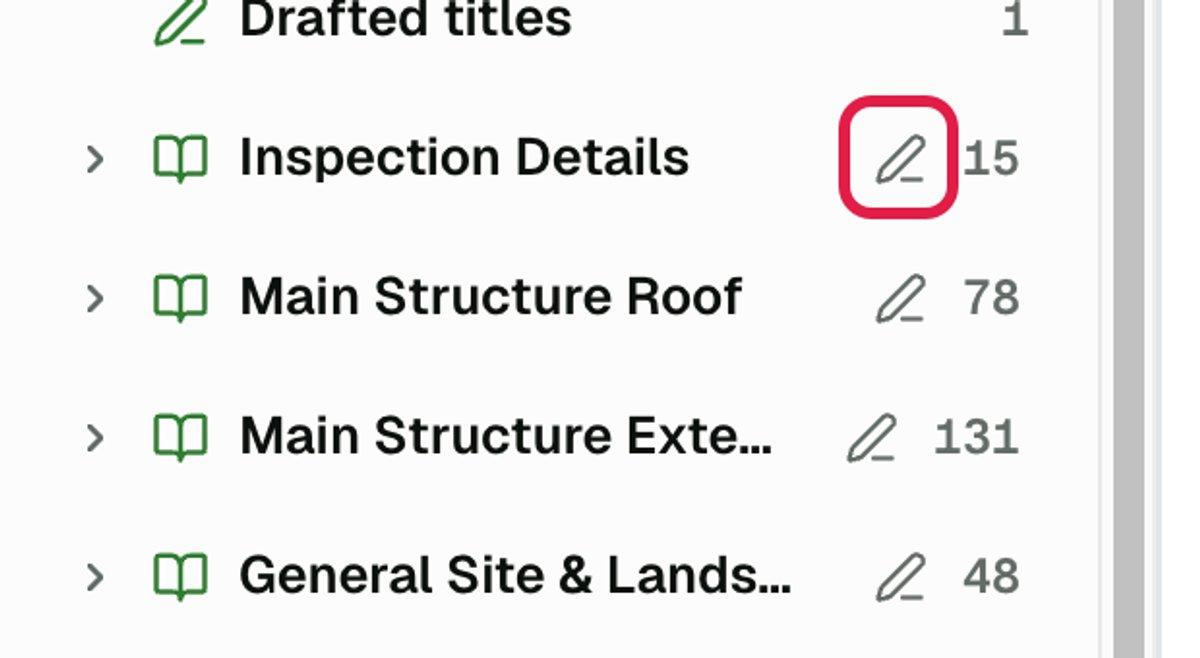
- 3Type the heading you want in Heading in your reports and click Save. Cancel leaves it as it was.
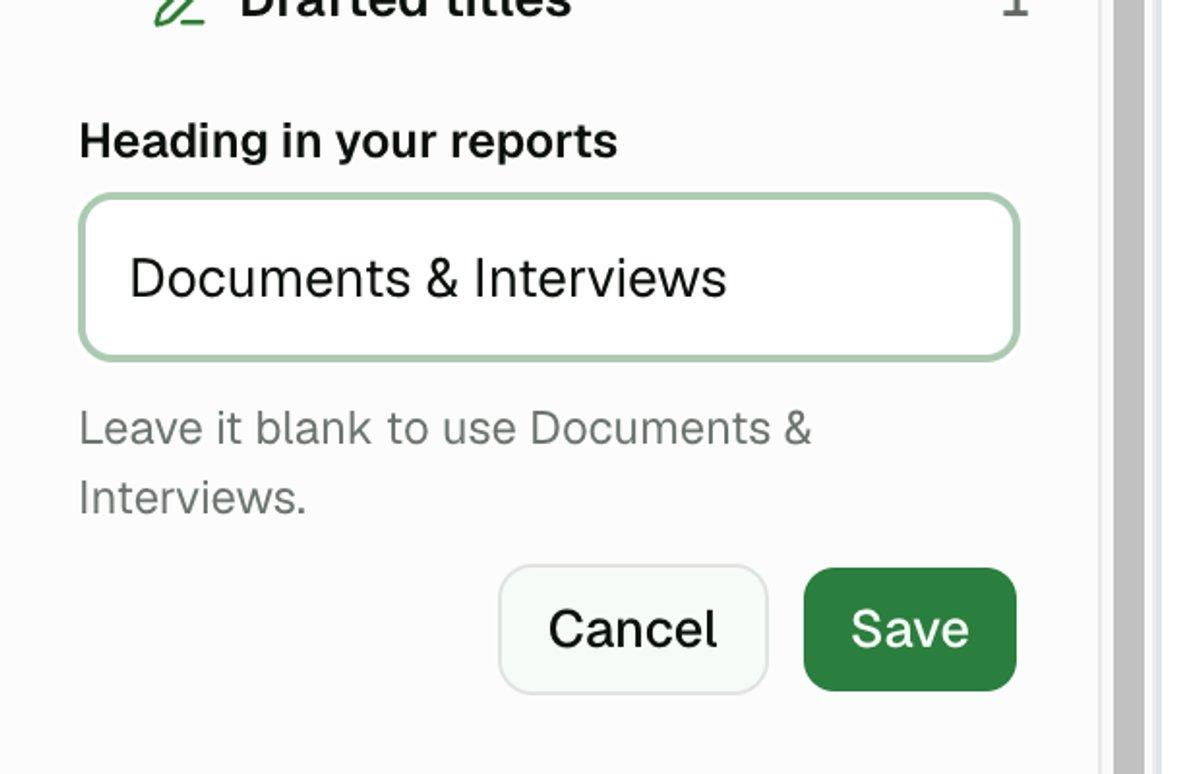
A heading can be 60 characters. Leave the box blank to go back to JetInspect's name for the section. Reports you already sent keep their old headings until you publish them again.
If you imported a library, the pencils are on your own headings, the ones from your file. If you did not, they are on JetInspect's sections.
In an imported library, comments you add later, from a report or from the phone, gather under Added in JetInspect by section. A section with no comments is left out of your list.
Delete a comment
- 1Open the comment with Edit.
- 2Click Delete this comment, then confirm with Delete.
Reports that already used it keep their text. A deleted comment can't be brought back, so edit it instead if you only want it worded differently. The built-in JetInspect comments are not yours to edit or delete.
How your comments rank in search
Your comments are searched alongside the built-in ones, and the best match wins. Yours get no head start, so a reworded copy of a built-in comment shows up beside the original. Between equal matches, the one you use more often comes first.
To search only your own comments, choose My library only under Comment search on the Library setup tab (the other choice is My library + system). On the phone it is Settings > Comment library under What library should the search use?. If you have no match in your own comments, search still offers the built-in ones.
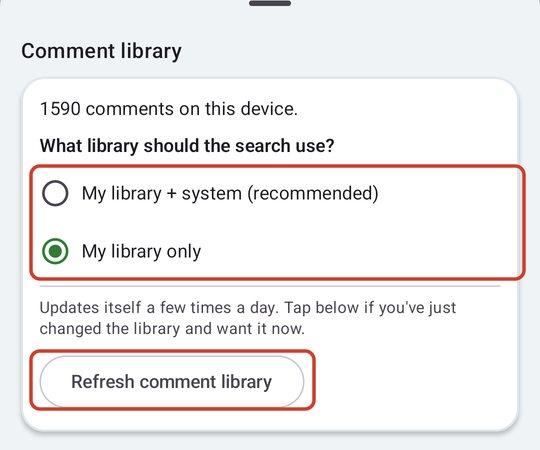
Your phone picks up changes made on the web a few times a day. To get them right away, open Settings > Comment library and tap Refresh comment library.
To bring in a whole library at once, see the guide on importing your comments. Searching is covered in finding the right comment.
If you work for an inspection company
Your company has one shared library. A comment you save is available to everyone at your company, and they can edit it. Only your company's owner or office staff can import a spreadsheet of comments.